
Have you ever noticed your computer acting strangely—running slowly, popping up random ads, or crashing without warning? You might worry you have a “virus,” but in the tech world, there is a broader term for these digital pests: Malware.
If you aren’t a tech wizard, the jargon can get confusing fast. What is the difference between a Trojan and a Virus? What exactly does Ransomware do?
In this post, we will have malware explained in plain English. We will break down the scary terms into simple concepts so you can understand what you’re up against and, more importantly, how to stay safe.
What Is Malware? (The Umbrella Term)
The word “Malware” is actually a mash-up of two words: Malicious and Software.
Think of malware as the “flu” of the computer world. It is any program or file that is intentionally harmful to your computer, tablet, phone, or network.
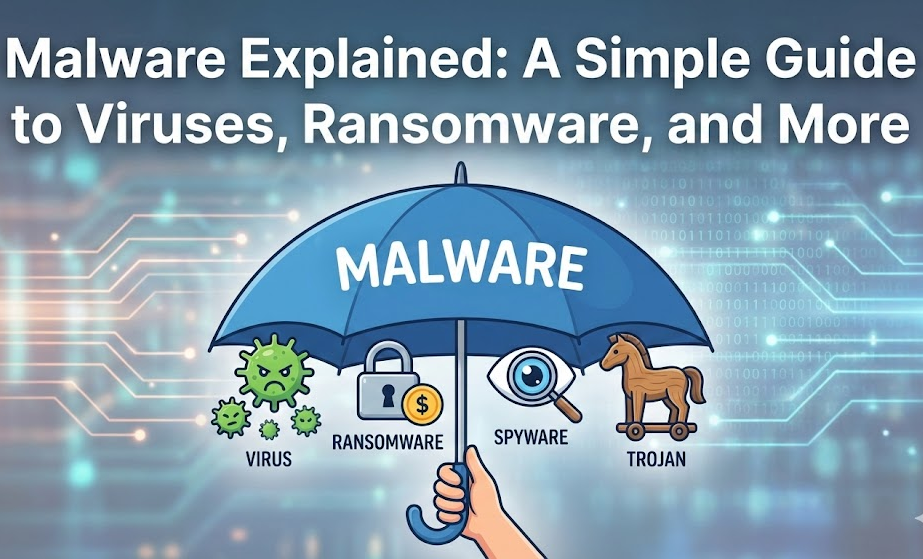
Many people call everything a “virus,” but a virus is actually just one specific type of malware. To help you visualize this, think of Malware as a big umbrella. Underneath that umbrella, you have many different types of bad actors.
Shutterstock
The 4 Most Common Types of Malware Explained
To protect your digital home, you need to know who the intruders are. Here are the four most common types of malware you might encounter.
1. Viruses: The Contagious Spreaders
Just like a biological virus makes you sick and spreads to other people, a computer virus attaches itself to a clean file and spreads to other files.
- How it works: It usually needs you to do something to start it, like opening an infected email attachment or launching a program.
- The danger: Once active, it can delete your files, damage your hard drive, or spam your contact list with infected emails.
2. Ransomware: The Digital Kidnapper
Ransomware is currently one of the scariest forms of malware. It does exactly what the name suggests: it holds your personal data for ransom.
- How it works: Once it gets on your computer, it locks your files (encrypts them) so you can’t open them. A screen will pop up demanding payment—usually in cryptocurrency like Bitcoin—to give you the “key” to unlock your photos and documents.
- The danger: You lose access to everything. Even if you pay the thief, there is no guarantee they will actually unlock your files.
3. Spyware: The Silent Observer
Spyware is the creepiest type of malware. It is designed to stay hidden in the background, spying on everything you do.
- How it works: It records what keys you press on your keyboard (keylogging), takes screenshots of your activity, and tracks your browsing habits.
- The danger: Its primary goal is often to steal your passwords, credit card numbers, and banking information without you ever knowing it was there.
4. Trojans: The Tricksters
Named after the famous wooden horse from Greek mythology, a Trojan Horse (or Trojan) relies on trickery.
- How it works: A Trojan looks like a legitimate program. It might disguise itself as a free game, a movie download, or a useful app. You download it thinking you are getting something good, but you are actually letting the enemy in the front door.
- The danger: Once inside, a Trojan can create a “backdoor,” allowing hackers to control your computer remotely.
How Does Malware Get In?
With malware explained, you might be wondering: how does it get onto my device in the first place?
- Phishing Emails: Emails that look real (from your bank or Netflix) asking you to click a link or download a bill.
- Bundled Software: When you download free software, sometimes malware is hidden inside the installer.
- Fake Ads: Clicking on “You won a free iPhone!” pop-ups.
- Outdated Software: Not updating your computer leaves security holes that malware can crawl through.
Simple Steps to Protect Yourself
You don’t need to be an IT pro to stay safe. Here is your basic survival kit:
- Install Antivirus Software: Think of this as your digital immune system. Use a reputable brand and keep it running.
- Update Everything: When your computer or phone says “Update Available,” do it. These updates often fix security holes.
- Be Skeptical: If an email looks weird, or a download offer seems too good to be true, it probably is.
- Back Up Your Data: If you get hit by ransomware, having your photos saved on an external hard drive or cloud storage means you won’t have to pay the ransom.
Summary
The digital world can be wild, but understanding the basics makes it less scary. By having these different types of malware explained, you now know that whether it’s a Trojan trying to trick you, Spyware trying to watch you, or Ransomware trying to rob you, the defense remains the same: vigilance and good security software.
Stay safe, and don’t click that suspicious link!
More articles like this: https://johnojabo.com/how-to-spot-a-fake-website-in-5-seconds-simple-tips-anyone-can-use/
https://en.wikipedia.org/wiki/Malware